




 Get to WhatsApp

Our manager will contact you
within 15 minutesт
5 Best CRM for Business: Honest Comparison, Pricing & Features
Five platforms, one clear verdict
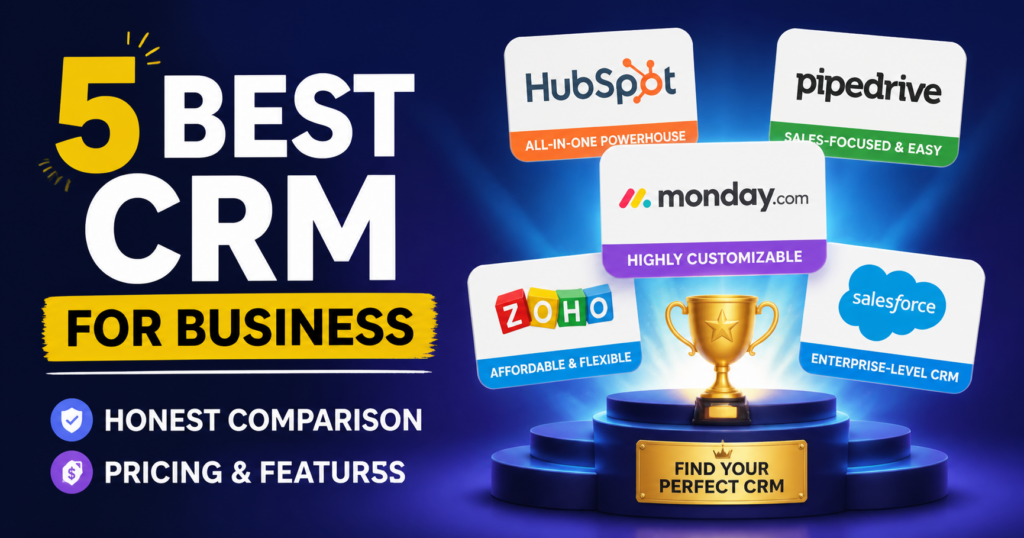
5 Best CRM for Business: Honest Comparison, Pricing & Features
Finding the right customer relationship management platform is one of those decisions that looks straightforward until you are actually inside it. There are dozens of options, every vendor claims to be the best fit for every use case, and the pricing structures are designed to obscure the real cost of ownership until you are already committed. This guide cuts through that noise. It examines five platforms that have consistently proven their worth across different company sizes and sales models — comparing them on the things that actually matter once you move past the feature marketing: how the pipeline works in practice, where the limitations show up, and which type of business each platform genuinely serves well.
What’s Inside This Guide
- — How to evaluate a CRM before committing to any platform.
- — The five platforms: honest assessments, strengths, and limitations.
- — Pricing comparison and what each tier actually covers.
- — Implementation, adoption, and the real cost of switching.
- — Final verdict: which platform fits which situation.
How to Evaluate a CRM Before Committing to Any Platform
Most companies approach this decision by reading feature comparison lists and scheduling demos with salespeople who are trained to make every product look like the right answer. The result is that they end up choosing a platform that impressed them in a controlled demonstration and then discovering, six months into implementation, that the thing they actually needed works differently in production than it did in the slideshow.
A more useful approach starts by mapping your actual sales motion before looking at any product. How does your team currently handle leads? Where do opportunities get lost? What data do your salespeople actually capture consistently, versus what they should capture in theory? The gap between those two things is one of the most important inputs for a platform evaluation, because a system that requires your team to change behavior significantly to log the right data will be partially adopted at best and resented at worst.
The adoption problem most evaluations ignore:
A CRM is only as useful as the data inside it, and the data is only as good as the consistency with which your team enters it. The most powerful platform in the world produces nothing if salespeople find it cumbersome and route around it. Before evaluating any feature set, evaluate how the interface feels to use for the specific tasks your team performs fifty times a week.
The second thing to map before looking at platforms is your integration landscape. What tools does your team already rely on — email clients, marketing automation, accounting software, customer support systems? A platform that integrates natively with your existing stack is worth significantly more in practice than one with superior standalone features that requires custom API work to connect to anything you already use. Integration friction kills adoption, and adoption is everything.
Third, be honest about your team’s technical capacity. Some platforms offer extraordinary configurability and are genuinely excellent for companies with dedicated operations staff who can build and maintain custom workflows, reporting dashboards, and automation sequences. For a ten-person sales team where the most technically inclined person is a sales manager who codes nothing, that configurability is not a feature — it is complexity that goes unused and adds to the cost of ownership through ongoing admin time.
- ➤Map your actual sales motion before looking at any product
- ➤Identify the integrations you cannot live without and verify native support
- ➤Assess your team’s technical capacity honestly — not ideally, but actually
- ➤Run a pilot with real deals in the real pipeline, not a demo with test data
- ➤Ask the vendor specifically about the limitations of their platform, not just the features
The pilot approach deserves emphasis. Most vendors offer trial periods, and the correct way to use that window is not to explore features but to run one real sales cycle through the system — a real lead, a real opportunity, a real email thread, a real pipeline update. The friction points that emerge in a real workflow are invisible in a demo and obvious within a week of actual use. Companies that skip this step and purchase based on demos alone account for a disproportionate share of platform migrations twelve months later.
The Five Platforms: Honest Assessments, Strengths, and Limitations
1. Salesforce Sales Cloud
Salesforce is the reference point against which every other platform in this category is measured, and it has earned that position over two decades of market leadership. The depth of its functionality is genuinely without peer — there is almost nothing a sales organization needs to do that Salesforce cannot be configured to support. Custom objects, multi-stage pipeline management, territory hierarchies, advanced forecasting, CPQ integration, partner portals — the platform can handle it all, and the AppExchange ecosystem means that if the core product does not cover a specific need, there is almost certainly a third-party application that does.
The honest limitation is that this power comes at a real cost in implementation complexity and administrative overhead. Setting up Salesforce for a team that needs anything beyond the most basic pipeline management requires either a certified Salesforce administrator on staff or a consulting partner engaged at meaningful cost. The licensing fee is only part of the total cost of ownership — configuration, training, ongoing admin, and customization expenses regularly double or triple the headline subscription price in the first year.
Who Salesforce actually fits:
Mid-market and enterprise organizations with complex sales processes, multiple sales teams or regions, significant reporting requirements, and the internal or external resources to manage the platform properly. For a business under fifty employees with a straightforward sales motion, Salesforce is almost certainly more platform than the situation requires — and the overhead of managing it will outweigh the benefits of its capabilities.
The reporting and analytics capabilities at the enterprise tier are legitimately impressive. Custom dashboards, pipeline velocity analysis, win-rate tracking by rep and territory, and forecast accuracy monitoring are all available with configuration. For a sales operations team that lives in data, this is one of the most powerful environments available. For a sales manager who just wants to see which deals are moving and which are stalling, it is more complexity than necessary.
2. HubSpot CRM
HubSpot built its reputation on inbound marketing and has extended that foundation into a full business operating system that spans marketing, sales, service, and operations. The free tier is genuinely functional — not a stripped-down preview designed to frustrate users into upgrading, but a usable tool that many small companies run on indefinitely. The contact management, deal pipeline, email integration, and basic reporting in the free plan are sufficient for a sales team in the early stages of formalizing its process.
Where HubSpot shines is in the connection between marketing and sales. If your marketing team is running campaigns, tracking website visitors, and nurturing leads through email sequences, the handoff from marketing-qualified lead to sales-owned opportunity is smoother in HubSpot than in almost any other platform. The contact timeline — which shows every interaction a prospect has had with your brand, from webpage visits to email opens to sales call notes — is one of the most practically useful features available for context-aware selling.
The limitation that catches companies by surprise is the pricing escalation as they grow. The free tier is genuinely useful, but the jump to the first paid tier is significant, and the features that growing teams actually need — sequences, advanced reporting, custom properties at scale, A/B testing — are distributed across Professional and Enterprise tiers that cost considerably more per seat than the marketing materials make immediately obvious.
HubSpot’s strongest use case:
Companies running inbound or content-led growth strategies where marketing and sales need to share data and context consistently. If your business generates leads through content, paid search, or social and then hands those leads to a sales team for outreach, HubSpot’s unified contact record and marketing-sales visibility make the handoff more effective than almost any alternative configuration.
3. Pipedrive
Pipedrive was built by salespeople for salespeople, and that origin story is visible in every design decision the platform makes. The pipeline view is its centerpiece: a visual, drag-and-drop board that shows exactly where every deal sits, what the next action is, and which opportunities are overdue for follow-up. It is one of the most immediately intuitive interfaces in the category, and teams that have struggled with adoption on more complex platforms frequently find that Pipedrive gets used consistently from day one because the friction of logging activities is genuinely low.
The platform’s focus is narrow by design. It does not try to be a marketing platform, a customer service system, or a business intelligence tool. It is a sales pipeline management system, and within that scope it does its job well. Activity-based selling — the philosophy that consistent actions produce consistent results — is baked into the product philosophy: every deal has a required next action, and the system surfaces deals that have gone quiet and prompts follow-up before opportunities go cold.
The limitation is that narrowness. Companies that need deep marketing integration, complex reporting across multiple data sources, or sophisticated workflow automation beyond sales activities will find Pipedrive’s capabilities insufficient. It integrates with other tools through its marketplace, but it is not a platform that will replace multiple systems — it is a focused sales tool that works best alongside other focused tools.
4. Zoho CRM
Zoho sits in an interesting position in this market: it offers a feature set that competes with significantly more expensive platforms at a price point that makes enterprise-level functionality accessible to organizations that could not justify the Salesforce total cost of ownership. The platform covers everything from lead management and pipeline tracking to inventory management, territory rules, and AI-assisted sales forecasting — and the pricing structure is considerably more transparent than most competitors.
The Zoho ecosystem is one of its most compelling arguments. Zoho CRM connects natively to Zoho Books, Zoho Desk, Zoho Campaigns, Zoho Projects, and dozens of other Zoho products, which means companies that build their operations around the Zoho suite can achieve a level of cross-functional data sharing that would otherwise require expensive custom integrations. For a company that is deliberately consolidating its software stack, the Zoho ecosystem offers a genuinely cohesive alternative to assembling a stack of best-of-breed point solutions.
The Zoho tradeoff in practice:
The platform offers substantial value at its price point, but the interface has historically been more complex than the task requires — particularly in the setup and configuration phase. Teams migrating from simpler tools often experience a steeper-than-expected onboarding curve. The investment in getting the configuration right pays off over time, but it requires patience and either internal admin capacity or external implementation support.
5. Monday Sales CRM
Monday.com built its reputation as a project management and work operating system before extending into sales pipeline management. The CRM product reflects this heritage: it is visually rich, highly customizable at the interface level without requiring code, and deeply familiar to teams that already use Monday for project work. The pipeline can be configured in multiple views — board, list, timeline, Gantt — which accommodates different preferences within the same team without requiring everyone to adapt to a single view.
For companies that manage complex, project-like sales cycles — where a deal involves multiple stakeholders, deliverable milestones, and cross-functional coordination — Monday’s CRM is one of the few platforms that handles the sales-to-delivery handoff gracefully. The same platform that tracks the deal can track the project that follows it, with visibility shared across the sales, operations, and delivery teams without context being lost in the transition.
The limitation is in the depth of native sales-specific functionality. Pipeline management, contact tracking, and email integration are solid, but the advanced forecasting, sequencing, and territory management capabilities that established sales-specific platforms offer are either absent or less mature. Monday Sales CRM is an excellent choice for businesses whose sales process is closer to project management than to high-volume transactional selling.
Pricing Comparison and What Each Tier Actually Covers
CRM Platform Pricing and Feature Overview
| Platform | Starting Price (per user/month) | Best Suited For |
|---|---|---|
| Salesforce Sales Cloud | $25 (Starter) — $300+ (Unlimited) | Mid-market and enterprise with complex multi-team sales operations |
| HubSpot CRM | Free — $1,600+/month (Enterprise) | Inbound-led growth companies needing marketing-sales alignment |
| Pipedrive | $14 (Essential) — $99 (Enterprise) | SMBs needing clean, adoption-friendly pipeline management |
| Zoho CRM | Free — $52 (Ultimate) | Growing companies wanting enterprise features without enterprise pricing |
| Monday Sales CRM | $12 (Basic) — $28+ (Enterprise) | Project-based sales cycles with cross-functional team visibility needs |
| Salesforce — Admin Cost | $6,000 – $20,000+/year (implementation) | True total cost of ownership for complex configurations |
| HubSpot — Hidden Tier Jump | Free to Professional: $450/month jump | Growth-stage companies should budget for Professional from the start |
| Pipedrive — Add-ons | LeadBooster, Web Visitors: $32+/month | Core plan is lean; lead generation features cost extra |
| Zoho — Suite Value | Zoho One (all apps): $37/user/month | Best value calculation if using multiple Zoho products |
| Monday — Minimum Seats | 3-seat minimum on paid plans | Solo operators and two-person teams pay for unused capacity |
The pricing comparison above reveals something that vendor websites rarely make obvious: the headline per-seat cost is only one component of the total investment. Implementation, training, admin time, add-on modules, and the opportunity cost of a poorly chosen or poorly adopted platform add up to amounts that frequently dwarf the subscription fee. The company that chooses a $14-per-seat platform with a clean implementation and ninety percent adoption often gets more value than the company that chooses a $100-per-seat platform with a messy rollout and sixty percent adoption.
Implementation, Adoption, and the Real Cost of Switching
Platform selection and platform success are not the same thing, and the gap between them is usually filled by implementation quality and adoption management. A data migration that is done carelessly — importing contacts with missing fields, duplicate records, and inaccurate pipeline stages — creates a mess that the sales team immediately recognizes and loses confidence in. That loss of confidence in the data quality is often the root cause of adoption failures that get misattributed to the platform itself.
The most effective implementations follow a sequence that mirrors the best approach to any process change: start with the minimum viable configuration that covers the core workflow, get the team using it on real data, and then layer additional features once the foundation is stable. The instinct to configure everything before going live — setting up every custom field, every workflow, every report — results in a system that no one fully understands at launch and that contains dozens of unused elements that make the interface feel cluttered and confusing.
The data migration decision that determines everything:
How you migrate historical contact and deal data into a new platform determines whether your team trusts the system from day one. Import only what is current, accurate, and actually needed. A clean database of three thousand relevant contacts is worth more than a messy import of fifteen thousand that includes old prospects, duplicates, and companies that no longer exist. Quality of starting data directly determines quality of ongoing adoption.
The real cost of switching platforms is also worth understanding before making an initial selection, because it creates a kind of lock-in that is not reflected in any contract. After twelve to eighteen months on a platform, your pipeline history, contact interaction timelines, and custom reporting baselines are all in one system. Moving to a new platform means either migrating that history — with all the data quality risks that entails — or starting fresh and losing the historical context that informs forecasting and territory planning. This switching cost is real, and the awareness of it is part of why underperforming platforms get tolerated for longer than they should be.
- ➤Start with minimum viable configuration — add features after adoption is stable
- ➤Import only current, accurate, necessary data — quality over completeness
- ➤Designate an internal owner who is accountable for platform health and data quality
- ➤Measure adoption in the first thirty days — percentage of team logging activities, not just account creation
- ➤Build reporting from day one so the team sees the value of the data they are entering
- ➤Establish data entry standards before launch and hold them consistently from the first week
Training deserves more attention than it typically receives in implementation plans. The instinct is to run a one-hour training session, give the team access, and assume they will figure out the rest. The teams that achieve the highest adoption rates invest in role-specific training — showing salespeople exactly how to log their most common activities, showing managers exactly how to read pipeline reports and coach from data — rather than generic platform overviews. The closer the training is to the actual daily workflow, the more of it transfers to consistent use.
The metric that predicts long-term adoption better than any other:
In the first two weeks after go-live, track how many salespeople are logging at least one activity per day without being prompted. That number predicts thirty-day adoption more accurately than satisfaction surveys or training attendance records. If fewer than seventy percent of the team is logging daily unprompted in week two, there is a workflow friction problem that needs to be identified and resolved before it calcifies into permanent non-use.
Final Verdict: Which Platform Fits Which Situation
After working through the features, pricing, and implementation realities of these five platforms, the verdict is less about which is objectively best and more about which is right for a specific set of conditions. There is no universal answer, and any recommendation that does not begin with your sales motion, your team size, and your integration needs is not a recommendation — it is a guess.
For a business that is formalizing its sales process for the first time and wants adoption above all else, Pipedrive is the most consistent performer. The interface friction is lower than any other platform at this tier, and a team that has never used a formal pipeline management system will get to productive use faster on Pipedrive than on any of the alternatives. The narrowness that limits it at scale is exactly the quality that makes it valuable at the early stage.
For a company running inbound growth — blog traffic, content marketing, paid acquisition — that needs marketing and sales to operate from shared data, HubSpot is the most natural fit. The free tier covers more than most people expect, and the Professional tier, while a significant price jump, combines marketing automation and sales sequencing in a way that no other platform in this group does as naturally. The key is budgeting honestly for Professional from the start rather than discovering the free tier’s limits six months in.
For an organization that wants enterprise functionality without enterprise pricing and is willing to invest in proper implementation, Zoho CRM — especially in the context of the broader Zoho ecosystem — offers the most feature value per dollar of any platform in the comparison. The implementation investment is real, but it pays off over time in a system that can genuinely scale with the organization without requiring a platform migration every few years.
For complex, project-like sales cycles where deal management and project delivery overlap significantly, Monday Sales CRM solves a problem that purpose-built sales platforms handle poorly. The visibility it gives cross-functional teams into the pipeline, and the continuity it creates between deal close and project kickoff, is genuinely valuable for companies in professional services, consulting, or custom manufacturing where the sale and the delivery are closely intertwined.
And for organizations with complex, multi-region, multi-product sales operations that have the internal or external resources to manage the platform properly, Salesforce remains the most capable system available. The administrative overhead is real and the total cost is high, but there is a category of sales organization complexity where nothing else handles the requirements adequately — and for those organizations, Salesforce is not overpriced relative to the problem it solves.
Frequently Asked Questions
Is a free CRM ever a genuinely good long-term choice for a growing business?
HubSpot’s free tier is the closest thing to a legitimate long-term option for early-stage companies, but most growing teams eventually hit limits that require upgrading. The value of starting on a free tier is learning what your actual workflow requirements are before committing to a paid configuration.
What is the single most overlooked factor in CRM selection?
Adoption friction. Teams consistently underestimate how much the ease of logging an activity influences whether it gets logged. A platform that requires four clicks and two field completions to record a phone call will be used less than one that requires one click. That difference compounds over months into a data quality gap that undermines every report and forecast the system produces.
Platform capability is irrelevant if the team routes around the system because it is cumbersome. Adoption is the multiplier on every other investment in the platform.
How do you migrate data between CRM platforms without creating a mess?
Map fields between systems before importing anything, clean your source data of duplicates and outdated records, import in stages starting with active contacts and open opportunities, and validate the import against a sample set before going live with the full dataset. A migration done carefully takes longer but produces a foundation the team trusts.
At what company size does Salesforce start making sense as a choice?
Generally at fifty or more sales team members, with multiple pipelines, territories, or product lines requiring distinct tracking. Below that scale, the administrative overhead and implementation cost rarely produce proportionate returns compared to more focused alternatives. The exception is companies with complex compliance reporting needs that require Salesforce’s audit trail and permissions architecture from an earlier stage.
Can a CRM replace a project management tool, or do most businesses need both?
For most businesses, they serve different enough purposes that both are needed. The exception is Monday Sales CRM, which was designed from a work management foundation and handles the sales-to-delivery transition better than any pure sales platform. For companies where that transition is a recurring pain point, Monday’s unified approach may genuinely reduce the need for a separate project management system.
For the majority of companies with distinct sales and delivery teams, a purpose-built sales platform and a separate project management tool produce better outcomes than trying to stretch either one beyond its design intent.
How long should a CRM implementation realistically take before the team is using it productively?
For Pipedrive and Monday, a focused team can reach productive daily use within two to three weeks. HubSpot and Zoho typically require four to six weeks for teams moving from informal processes. Salesforce implementations rarely reach stable productive use in under eight to twelve weeks, and complex configurations take longer. Any vendor promising full adoption in days is describing a demo, not a real rollout.