




 Get to WhatsApp

Our manager will contact you
within 15 minutesт
Ahrefs in 2026: Complete Platform Overview and Key Features
Everything the Platform Does and Whether It’s Worth It
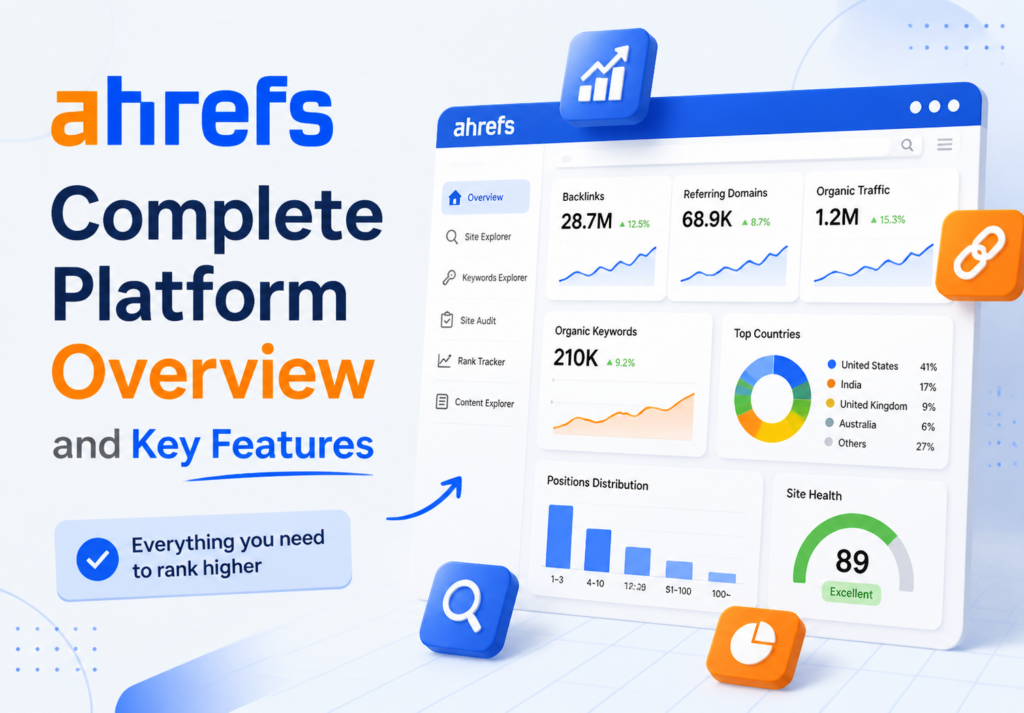
Ahrefs: Complete Platform Overview and Key Features
Among the research tools that digital marketing practitioners actually rely on for daily work, few have earned the level of trust that Ahrefs has built over more than a decade. This platform has become the reference point against which others are measured — not because of marketing, but because practitioners who use multiple tools consistently find themselves returning to it for backlink data, keyword research, and competitive intelligence. This guide was written to give both new users and experienced practitioners a complete, honest picture of what the platform offers, what it costs, where it genuinely outperforms alternatives, and where its limitations apply.
What’s Inside This Guide
1. What Ahrefs Is and How It Got Here.
2. Core Tools — What Each One Does and How Practitioners Actually Use Them.
3. The Metrics That Matter — What They Measure and How to Interpret Them.
4. Pricing Tiers — What Each Plan Includes and Who It’s Right For.
5. How It Compares to the Main Alternatives.
6. Honest Assessment — Strengths and Real Limitations.
7. Getting Started and Recommended First-Month Workflow.
8. FAQ.
What Ahrefs Is and How It Got Here
The platform launched in 2011 as a backlink analysis tool with a single mission: to crawl the web at scale and build the most comprehensive database of link relationships between websites that had ever existed. The founding team, led by Dmitry Gerasimenko, built the technical infrastructure for this from scratch — a crawler that processes billions of pages continuously, updating its index far faster than the broader industry considered practical at the time. That technical foundation is what the platform still stands on, and it remains the core reason practitioners choose it over alternatives when backlink data accuracy is the priority.
The scale of what the crawler now processes is genuinely impressive from an engineering standpoint. The link database holds more than 16 trillion known links, with approximately 8 billion pages processed every single day. The data refreshes continuously rather than in periodic batches — most links and domain metrics update within 15 to 30 minutes of a change being detected in the wild. This update frequency matters for practitioners managing link campaigns or monitoring competitor activity, because the difference between hourly data and weekly-batch data is the difference between actionable intelligence and historical reporting.
What transformed the platform from a backlink tool into a comprehensive research suite was a deliberate expansion of scope over several years — adding keyword research with data across 170 countries, technical site auditing, content discovery, and rank monitoring to the original backlink foundation. Each of these additions was built on the same principle as the original product: use real crawl data rather than estimates and extrapolations where possible, and update that data more frequently than the competition. The result is a platform where each tool is independently capable and the integration between them produces compound analytical value that’s difficult to replicate with a collection of single-purpose tools.
📌 Platform Scale — Key Numbers:
16+ trillion links in the active database — the largest known commercial link index.
8 billion pages crawled and processed every single day.
15–30 minute update cycles for most domain and link metrics.
10+ billion keywords across the research database covering 170+ countries.
11 billion pages indexed in the content research tool.
Core Tools — What Each One Does and How Practitioners Actually Use Them
Site Explorer
Site Explorer is the tool most practitioners open first when they need to understand a domain — whether their own or a competitor’s. You enter any domain, subdomain, or specific URL, and the tool returns a comprehensive profile of that site’s authority and organic visibility. The primary data it surfaces: the total backlink count, the number of unique referring domains, the estimated organic traffic, the number of ranking keywords, and the top pages by traffic and by inbound link count. These outputs are available simultaneously within a few seconds of entering the URL, which makes it practical for rapid competitive screening across multiple domains rather than just in-depth analysis of a single target.
The referring domains data is where Site Explorer produces its most distinctive competitive intelligence. Rather than just counting links, the tool breaks down the quality distribution of the referring domain set — allowing you to see whether a competitor’s authority is built on a diverse base of independent editorial sites or concentrated in a small number of sources. A competitor with 2,000 referring domains distributed across genuinely independent publications is in a very different structural position from one with 2,000 referring domains concentrated in fifty similar network sites. This distinction is invisible in the headline link count but becomes immediately apparent in the referring domain breakdown. For practitioners building link acquisition programs, understanding this distributional quality is often more strategically important than the total count.
The organic keywords report within Site Explorer is equally practical for content gap analysis. Filtering a competitor’s ranking queries by position range — pages ranking in positions four through fifteen, for example — reveals topics where a competitor has established some authority but where their content hasn’t fully cemented a top position. These represent the most efficient targets for competitive content because the gap is real but not insurmountable. Comparing this filtered view across three or four competitors simultaneously identifies the topics where competitive content would have the highest probability of gaining ground with a well-executed piece.
Keywords Explorer
The research tool covers more than ten billion queries across 170 countries, making it one of the most geographically comprehensive databases available for this type of analysis. Entering a seed term returns a set of related queries with volume data, difficulty scores, click-through rate estimates, and traffic potential figures — but the most distinctive feature is the depth of click and traffic analysis it provides beyond simple search volume.
The click-through rate data is particularly useful because it separates queries where search volume translates to actual site traffic from queries that are dominated by no-click results — featured snippets, knowledge panels, and answer boxes that resolve the query without requiring a click to any external site. A query with 20,000 monthly searches but a click rate of 12 percent produces far less actual traffic opportunity for any ranking page than a query with 8,000 monthly searches and a click rate of 65 percent. This distinction matters enormously for content investment decisions, and it’s one of the outputs that Ahrefs provides as a native metric rather than requiring manual estimation. The guide on Google Keyword Planner covers the alternative free approach to this type of research for practitioners not yet using a paid platform — and comparing how the two tools approach the same question reveals why the paid platform’s additional data layers produce meaningfully different strategic outputs.
Site Audit
The technical auditing tool crawls a site on demand — or on a scheduled recurring basis — and checks more than 100 individual technical parameters. These checks range from foundational crawlability issues (pages blocked by robots.txt that shouldn’t be, internal links pointing to redirect chains) through to performance signals (core web vitals estimates, image optimization) and content quality indicators (duplicate content detection, thin page identification, structured data validation).
The output is organized by severity — errors, warnings, and notices — with each issue accompanied by a specific description of the problem, the pages affected, and a recommended resolution approach. This prioritization is genuinely useful for practitioners managing sites where the technical issue list is long and resource constraints require decisions about what to fix first. Issues that directly limit crawl efficiency and indexing accuracy appear at the top; cosmetic or low-impact issues appear further down. The scheduler feature means the audit runs automatically on a defined cadence — weekly for actively managed sites, monthly for more stable properties — and flags newly appeared issues without requiring manual re-initiation.
Content Explorer
The content research tool indexes more than 11 billion pages and allows filtering that body of content by topic, domain metrics, social share counts, and publication date. The practical use cases fall into two categories: competitive research (identifying which content in a space has performed best and understanding what made it resonate) and opportunity identification (finding topics that attract significant editorial links but have limited quality content that directly addresses them).
The “highlight unlinked domains” filter is one of the more specific tactical features within this tool — it shows which domains have published content on a topic without linking to a specific target page. For practitioners running outreach campaigns on behalf of a client’s existing content, this filter produces a targeted list of domains that have demonstrated interest in the topic and haven’t yet linked to the specific piece, making them more receptive outreach targets than cold-contacted sites with no demonstrated topical connection. The guide on the best platforms for link acquisition covers the acquisition side of this workflow for practitioners managing link programs at scale.
Rank Tracker
The position monitoring tool tracks a defined set of target queries across desktop and mobile results, with support for tracking positions in specific geographic locations — down to city level in most major markets. The historical data stored for each tracked query allows analysis of position changes over time rather than just point-in-time snapshots, which is essential for understanding whether position changes are the result of deliberate optimization activity or external factors like algorithm updates affecting the entire category.
The Share of Voice metric aggregates position data across all tracked queries into a single competitiveness indicator — showing what percentage of the total available clicks for the tracked query set your site is capturing compared to competitors tracking the same queries. This aggregate view is particularly useful for reporting to non-technical stakeholders who need to understand campaign progress without interpreting individual position data points across potentially hundreds of queries. For practitioners needing a more granular view of position data across a larger query set than the tracker handles directly, the guide on how to track your website positions covers additional monitoring approaches and tool combinations.
Additional Tools
Beyond the five primary tools, the platform includes several standalone utilities that practitioners use for specific tasks. The Backlink Checker provides a quick public-facing view of any domain’s link profile without requiring a logged-in session — useful for rapid checks during sales conversations or competitive screening without navigating the full platform. The Broken Link Checker identifies outbound links from any site that point to dead pages — used both for auditing client sites and for identifying link reclamation opportunities on third-party sites. The SERP Checker analyzes the current top-ten results for any query in any market, showing the authority metrics of the ranking pages rather than just their URLs. Batch Analysis runs domain metrics across up to 200 URLs simultaneously — a time-saving feature for practitioners managing large link acquisition pipelines who need rapid quality screening without opening individual reports.
⚡ Core Tool Quick Reference:
▶ Site Explorer: Full domain and URL analysis — backlinks, organic traffic, ranking queries, top pages.
▶ Keywords Explorer: 10B+ query database with volume, difficulty, click rate, and traffic potential data.
▶ Site Audit: Automated technical health monitoring across 100+ parameters with scheduled recrawl.
▶ Content Explorer: 11B indexed pages — find top-performing content and link opportunities by topic.
▶ Rank Tracker: Position monitoring with desktop/mobile split, local tracking, and Share of Voice metrics.
The Metrics That Matter — What They Measure and How to Interpret Them
Domain Rating (DR)
Domain Rating is a 0-to-100 logarithmic score that estimates the strength of a domain’s backlink profile relative to all other domains in the database. The score is calculated primarily from the number of unique referring domains pointing to the site, weighted by the authority of those referring domains — so a single link from a DR 90 site contributes more to the score than fifty links from DR 20 sites. The logarithmic scale means that moving from DR 20 to DR 30 is significantly easier than moving from DR 70 to DR 80 — the higher the existing score, the harder each incremental point becomes to earn.
Domain Rating is the metric most commonly referenced when discussing a site’s overall authority level, but it has important limitations that experienced practitioners keep in mind. It reflects the link profile only — not content quality, not relevance to a specific topic, not the site’s actual organic traffic performance. A site can have a high DR from historical link acquisition while producing minimal organic traffic due to content quality or technical issues. Conversely, a topically authoritative site with a focused, relevant link profile can outrank higher-DR competitors for specific queries where topical authority and relevance outweigh raw link profile strength. DR is a useful approximate filter, not a definitive ranking predictor.
URL Rating (UR)
URL Rating applies the same authority calculation to individual pages rather than entire domains. A page’s UR reflects the strength of its specific inbound link profile — both from external sites and from internal links within the same domain. UR is typically more useful than DR when evaluating the competitive strength of a specific page against others targeting the same query, because it more accurately reflects the specific authority available to that page rather than the domain-level average. Two pages on different domains might have the same DR but very different UR values depending on how much editorial attention — both external and internal — each page has received.
Keyword Difficulty (KD)
Keyword Difficulty is a 0-to-100 score estimating how hard it would be to rank in the top ten results for a given query based on the current link profiles of the pages already ranking there. The score is derived from the median referring domain count of the current top-ten pages — more referring domains across the top results means a higher difficulty score. The interpretation ranges are generally: 0 to 30 is accessible for sites with modest authority, 30 to 50 requires meaningful investment in authority and content quality, 50 to 70 is competitive and typically requires sustained effort over months, and above 70 is genuinely difficult requiring strong domain authority and well-executed content to displace established positions.
KD should be used as a filter for prioritization rather than as an absolute gate. A query with KD 65 on a DR 75 domain in a directly relevant niche is very different from the same KD 65 on a DR 30 domain with limited topical authority. The difficulty score tells you about the competitive environment — not about your specific site’s ability to compete within it. Cross-referencing KD against your site’s current DR and the topical authority signals in your existing content produces a more calibrated assessment of realistic target difficulty than KD alone.
Traffic Potential
Traffic Potential estimates the total organic traffic a page could capture if it ranked in position one for its primary target query — including the additional traffic from all the related long-tail queries that a top-ranking page typically captures beyond its primary phrase. This is often substantially higher than the primary query’s search volume, because well-ranking pages consistently capture rankings for dozens or hundreds of semantically related queries beyond the one they were explicitly optimized for. A query with 2,000 monthly searches might have a traffic potential of 15,000 if the existing top-ranking pages are capturing strong positions across a wide set of related queries. Traffic Potential is generally a more realistic planning metric than raw search volume for estimating the actual organic traffic opportunity from producing content for a specific query.
📈 Metric Interpretation Quick Guide:
DR 0–30: New or low-authority domain — focus on accessible, low-competition queries.
DR 30–60: Established mid-tier domain — competitive in moderate-difficulty queries with good content.
DR 60–80: Strong domain — can compete across most categories with quality content and active link building.
DR 80+: High-authority domain — competitive in the most contested categories with sustained investment.
KD 0–30: Accessible. KD 30–50: Moderate. KD 50–70: Competitive. KD 70+: Very hard.
Pricing Tiers — What Each Plan Includes and Who It’s Right For
The platform operates on a subscription model with four tiers at different investment levels. There is no free plan, and the trial access historically offered has been a paid short-term option rather than an indefinitely free limited tier. This pricing model reflects the platform’s positioning as a professional tool rather than a consumer product — and the pricing is calibrated accordingly.
→ Lite — $129 per month
The entry-level tier is appropriate for individual practitioners, small business owners managing their own site, or freelancers handling a small number of client accounts simultaneously. The plan includes access to all five core tools with usage limits that are sufficient for single-site research and occasional competitive analysis but become constraining when managing multiple client accounts or running high-volume research tasks. The keyword research database is fully accessible, as is the site audit tool for sites up to a defined crawl limit. The rank tracker supports a limited number of tracked queries — enough for a single focused campaign but insufficient for agencies managing keyword sets across multiple clients.
→ Standard — $249 per month
The mid-tier plan is the most commonly appropriate starting point for agencies and consultants managing multiple client accounts regularly. The usage limits expand significantly — more projects, higher crawl limits in the audit tool, more tracked queries in rank tracking, and higher API credits for practitioners integrating data into custom reporting workflows. The historical data available in Site Explorer extends further back in time at this tier, which matters for practitioners analyzing long-term trend patterns or investigating historical link profile changes. This is the tier where the platform begins to function effectively as a daily workflow tool rather than a reference resource used periodically.
→ Advanced — $449 per month
The Advanced tier is designed for agencies with substantial client portfolios and practitioners who rely on the platform for a significant portion of daily operations. Additional users can be added to the same account at this tier — relevant for agencies where multiple team members need simultaneous access to the same client data and project structure. The crawl limits and API credits at this level support high-volume operations, including large-site technical audits and automated reporting pipelines. Access to advanced filtering and data export options expands the analytical flexibility available for custom reporting and bulk data processing tasks.
→ Enterprise — Custom pricing
The Enterprise tier is tailored to the specific scale and requirements of the organization, with custom crawl limits, API volumes, and user counts negotiated directly. This tier is appropriate for large in-house teams at enterprise-scale brands, large agencies managing significant portfolio volumes, or organizations building Ahrefs data into proprietary internal tools and reporting systems. The pricing is determined through direct conversation with the sales team rather than a fixed published rate.
| Plan | Monthly Price | Best Suited For |
|---|---|---|
| Lite | $129/month | Freelancers, solo practitioners, single-site owners |
| Standard | $249/month | Small to mid-size agencies, multi-client consultants |
| Advanced | $449/month | Growing agencies with large client portfolios and team access needs |
| Enterprise | Custom | Large in-house teams, enterprise brands, custom data integrations |
How It Compares to the Main Alternatives
The honest comparison between the major research platforms requires acknowledging that each has genuine strengths that the others don’t fully replicate — and that the “best” platform for any specific practitioner depends on which tasks dominate their daily workflow. This is not a marketing framework where one tool wins across every dimension. It is a genuine trade-off assessment based on where each platform’s data and interface most consistently excel.
Ahrefs vs. Semrush
The comparison between these two platforms is the most frequently debated question in the professional practitioner community, and the honest answer is nuanced. Ahrefs maintains a consistent advantage in backlink data quality and update frequency — the crawler infrastructure produces more comprehensive and more current link data than Semrush’s equivalent. For practitioners whose primary workflow centers on link analysis, competitor link research, and link acquisition support, Ahrefs produces better raw data for these tasks.
Semrush has historically had stronger advertising intelligence — paid search keyword data, ad copy research, and PPC competitive analysis are more developed in that platform. It also offers a broader native toolset that includes features like social media management and content marketing scheduling within the same subscription. For teams managing integrated digital marketing operations across both paid and organic channels, Semrush’s breadth can justify its similar price point. The guide on what Semrush offers provides a detailed breakdown for practitioners evaluating both platforms simultaneously.
Ahrefs vs. Moz
Moz was the original authority metric platform — its Domain Authority score predates Ahrefs’ Domain Rating and remains the metric most commonly referenced in conversations between marketers who don’t use professional tools regularly. But in terms of data depth, update frequency, and tool comprehensiveness, Moz has fallen significantly behind in the years since. The link index is smaller, the keyword database is less comprehensive, and the update cycles are slower. Moz’s strongest remaining advantage is its local search tool integration — Moz Local provides citation management and local listing monitoring that neither Ahrefs nor Semrush offers natively. For practitioners focused primarily on local campaigns, Moz Local as a standalone product alongside either major platform is a viable combination.
Ahrefs vs. Ubersuggest
This comparison is less direct because the tools serve different market segments. Ubersuggest is a consumer-grade tool with simplified outputs and a pricing model designed for business owners and early-stage marketers rather than professional practitioners. It costs significantly less, but produces correspondingly less data depth, less update frequency, and fewer analytical capabilities. For someone building their first website who needs basic research capabilities, Ubersuggest is a reasonable starting point. For practitioners managing client campaigns in competitive categories, it is structurally insufficient regardless of price — the data limitations create blind spots that cost more in lost campaign performance than the subscription savings justify.
| Capability | Ahrefs | Semrush / Moz / Ubersuggest |
|---|---|---|
| Backlink database size | Largest available — 16T+ links | Semrush competitive; Moz and Ubersuggest smaller |
| Link data update speed | 15–30 minutes — fastest available | Semrush comparable; Moz slower; Ubersuggest slowest |
| Keyword database | 10B+ queries, 170+ countries | Semrush comparable; Moz and Ubersuggest smaller |
| Paid search / PPC data | Basic — not a primary strength | Semrush significantly stronger for paid research |
| Technical audit depth | 100+ checks, scheduled recrawl | Semrush comparable; Moz lighter; Ubersuggest basic |
| Local search tools | Limited native local capability | Moz Local strongest; Semrush growing; Ubersuggest basic |
| Interface clarity | Clean, logical — strong for experienced users | Semrush denser; Moz simpler; Ubersuggest simplest |
| Entry price point | $129/month | Semrush $129; Moz $99; Ubersuggest $29 |
| Content research tool | Content Explorer — 11B pages indexed | Semrush has equivalent; Moz and Ubersuggest lighter |
| Rank tracking | Desktop + mobile, local, Share of Voice | All platforms offer comparable rank tracking |
| API access | Available from Standard tier | Semrush comparable; Moz available; Ubersuggest limited |
| Learning resources | Ahrefs Academy, blog, YouTube — extensive | All platforms offer training; Ahrefs and Semrush most extensive |
| Free trial availability | Paid trial historically — no permanent free tier | Semrush offers free limited tier; Moz free trial; Ubersuggest free tier |
Honest Assessment — Strengths and Real Limitations
The honest case for the platform starts with the backlink data — it is simply the most comprehensive and most current available in the commercial market. This is not a close comparison. The crawler infrastructure produces data that competitors have not matched, and for practitioners whose work centers on link analysis, this advantage is meaningful in every working session rather than just occasionally. The compound effect of better data is better decisions — more accurate competitive assessments, better link quality filtering, faster identification of opportunities that lower-quality data would miss entirely.
- ► The largest commercial backlink database with the fastest update cycle — the core advantage that justifies the subscription for link-focused practitioners
- ► Traffic Potential metric provides more realistic content planning data than simple search volume — one of the most underappreciated features for content-focused practitioners
- ► Content Explorer’s 11 billion indexed pages and advanced filtering make it genuinely useful for competitive content research and link opportunity identification
- ► The learning resources — Ahrefs Academy, the blog, and the YouTube channel — are among the best in the industry and significantly reduce the time required to use the platform effectively
- ► Interface design is clean and logical — data is surfaced in ways that make analytical workflows natural rather than requiring constant navigation between disconnected reports
The limitations are equally real. The pricing positions the platform beyond reach for many early-stage practitioners and small businesses — $129 per month is a meaningful commitment when the ROI of organic visibility investment is still being established. The absence of a genuinely free tier (as opposed to the free tool limitations that provide minimal analytical depth) means new users have no low-friction way to evaluate whether the platform fits their workflow before committing financially. Semrush’s free limited tier, by contrast, allows some genuine exploration before purchase — an advantage in the acquisition funnel that Ahrefs has chosen not to match.
The data scope is primarily oriented toward Google — which is where the vast majority of organic search activity occurs in most English-speaking markets, but which leaves gaps for practitioners managing visibility in markets where other search engines have significant share. YouTube data is available through the keyword research tool, but the depth and analytical capability for YouTube-specific research is more limited than the Google web search data. And the paid search intelligence available for practitioners managing or analyzing PPC campaigns is basic compared to Semrush’s dedicated advertising research capabilities — which is a meaningful limitation for agencies managing integrated paid and organic programs.
⚠️ Real Limitations to Know Before Subscribing:
▶ No permanent free tier — evaluation requires a paid trial commitment or reading third-party reviews.
▶ PPC and paid search intelligence is basic — not the right primary tool for paid-focused practitioners.
▶ Local search management features are limited compared to specialized local tools like Moz Local or BrightLocal.
▶ Data is primarily Google-oriented — limited analytical depth for non-Google search engines.
▶ Usage limits at the Lite tier can become constraining for practitioners managing more than two or three client accounts simultaneously.
Getting Started and Recommended First-Month Workflow
The registration process is straightforward — account creation, payment information, and immediate access to the full platform at the chosen tier level. Unlike some SaaS tools that require significant setup before becoming useful, the platform delivers value within the first session for practitioners who have a clear question to answer. You don’t need to configure data integrations, import historical data, or complete an onboarding checklist before the tools function. Enter a domain, a query, or a URL — and the data appears.
The recommended first-month approach for new practitioners follows a logical sequence that builds familiarity with each tool while producing immediately useful outputs. Start with Site Explorer on your own domain — understanding your current authority metrics, your existing ranking queries, and your current backlink profile provides the baseline against which everything else is measured. Then run the same analysis on two or three primary competitors to understand the gap between your current profile and theirs across both link authority and organic visibility. This competitive context makes every subsequent research session more meaningful because you’re working within a framework of known competitive distances rather than evaluating data in isolation.
The second week is best spent in the keyword research tool — building a working list of target queries organized by topic cluster and difficulty level, using Traffic Potential rather than raw volume as the primary prioritization metric. Cross-referencing this list with your Site Explorer ranking data reveals which topics you already have some authority for versus which are genuinely new territory. The third and fourth weeks are well spent in the audit tool — running the technical health check on your own site and working through the issues by severity, using the guidance provided for each issue type rather than relying on prior technical knowledge. For practitioners managing campaigns on behalf of clients, a good primer on the value of organic visibility as a channel is available in the guide on what legitimate performance guarantees in optimization work actually look like — useful context for setting realistic client expectations alongside the research data the platform provides.
📄 Recommended First-Month Workflow:
Week 1: Site Explorer on your own domain and two primary competitors — establish baseline metrics and competitive gaps.
Week 2: Keywords Explorer — build target query list organized by topic cluster, difficulty, and traffic potential.
Week 3: Site Audit — run technical health check and prioritize issues by severity for resolution.
Week 4: Rank Tracker setup — configure tracked queries and establish monitoring cadence. Review Content Explorer for link and content opportunities.
The educational resources available alongside the platform are genuinely worth investing time in — the Ahrefs Academy offers structured courses covering both platform-specific workflows and broader research methodology. The YouTube channel publishes regular tutorials covering specific use cases rather than just platform updates, making it useful for practitioners who prefer video-format learning. The blog covers both research topics and industry analysis at a consistently high quality level. Combining a few hours of structured learning through these resources with direct hands-on practice in the platform produces proficiency significantly faster than either approach alone. For practitioners also using Google Search Console as part of their research workflow — which is strongly recommended as a first-party data complement to the third-party data the platform provides — integrating both data sources into the same weekly review process produces a more complete picture of organic visibility than either tool provides independently.
Conclusion — The Honest Recommendation
The platform earns its position as the default professional reference tool for link analysis and competitive backlink research. If that’s the primary task driving the decision — understanding link profiles, evaluating link quality, planning link acquisition — nothing in the market produces better data for that specific question. The keyword research and content research tools are also genuinely strong — not just acceptable alternatives to the backlink focus, but independently capable tools that produce real analytical value for content planning and competitive research.
The decision is less straightforward for practitioners whose primary workflow is paid search, social media management, or local search optimization — where alternative platforms or tool combinations provide better fit without the premium price point. For those practitioners, a hybrid approach often makes more sense: a dedicated local tool for local campaign management, a paid search tool for PPC research, and Ahrefs for the backlink and organic visibility research that it genuinely leads the market on.
For agencies managing competitive organic campaigns for clients — the work where accurate competitive data directly influences strategy quality and where the compounding returns from better decisions justify the investment over time — the subscription pays for itself quickly when the alternative is making consequential decisions from incomplete or outdated data. The ROI is not in the tool itself but in the decisions it enables: content targets identified before they become competitive, link opportunities identified before competitors capitalize on them, technical issues resolved before they accumulate into meaningful visibility losses. Those are the outcomes that justify the subscription — and they are outcomes that practitioners using the platform regularly, not occasionally, consistently produce.
Frequently Asked Questions
👉 Is Ahrefs data more accurate than what I see in Search Console?
Different question entirely. Search Console shows first-party Google data about your own site — the authoritative source for what queries you appear for and what traffic you receive. The platform provides third-party estimates about your site and competitive intelligence about sites you don’t own. Both are essential. They answer different questions and should be used together, not compared as alternatives.
🎯 The Keyword Difficulty score says 15 but I’m not ranking. Why?
KD measures the link profile strength of current top-ten pages — it doesn’t measure content quality, topical authority, or technical health. A low KD score on a query that you should be ranking for usually points to a content quality or technical issue rather than a competitive one. Check whether your page is properly indexed, whether the content genuinely addresses the query intent, and whether internal linking supports the page.
If all those check out, it’s worth looking at whether the current top-ranking pages have a strong topical authority signal from related content on their site — even with a low link count, concentrated topical relevance can outperform an isolated piece on a higher-DR domain.
📈 Domain Rating dropped by 5 points overnight. Should I panic?
Rarely. DR fluctuates based on changes across the entire database — if other domains in your DR range increased their link profiles, your relative score can drop without any change to your own links. Small movements are almost always algorithmic recalculations across the reference dataset, not indicators of lost links. Check your referring domain count directly — if that’s stable, the DR movement is noise.
⚡ Can I use the platform to evaluate whether a link I’m considering purchasing is worth the investment?
Yes — Site Explorer on the prospective referring domain is the standard pre-purchase quality check. Look at DR, organic traffic, the number of outbound links on the specific placing page, whether the site has a history of selling links (visible through patterns in the outbound link profile), and whether the domain’s traffic is genuine or inflated. The guide on evaluating link acquisition platforms covers this quality assessment process in detail.
📌 Is the Lite plan sufficient for a freelancer managing three clients?
It depends on the intensity of the research work. Lite’s project limits and credit allocations can become constraining when managing three active client accounts with regular keyword research, competitor monitoring, and auditing. Many freelancers at this scale find the Standard tier more appropriate — not because the Lite tier lacks features, but because the usage limits create friction that slows workflow on days requiring high research volume.
🔗 How does Content Explorer differ from just doing a Google search for a topic?
A Google search shows what currently ranks — which is influenced by the searcher’s personalization history, location, and the real-time ranking algorithm. Content Explorer shows which pages on a topic have earned the most links and social engagement regardless of current ranking position — which is different and often more useful for competitive content research. Highly linked pages that no longer rank may have lost positions due to freshness, not quality — making them interesting templates rather than current competitive threats.
📄 We’re an agency considering switching from Semrush. What will we gain and lose?
Gain: more comprehensive and faster-updating backlink data, arguably cleaner interface for link-focused workflows, Content Explorer’s specific approach to content opportunity research. Lose: native PPC and advertising intelligence, some local search capabilities, the social media management tools built into Semrush’s suite. If your agency’s revenue is primarily from organic campaigns, the switch typically makes sense. If you’re managing integrated paid and organic programs, the Semrush breadth may justify retention.
🔎 Can the platform tell me why a specific page lost rankings?
It can provide significant evidence. Rank Tracker shows when the position changed. Site Explorer shows whether referring domains were lost around the same time. The Site Audit shows whether technical issues appeared or worsened. Cross-referencing these three data sources usually narrows down whether the cause was link loss, technical degradation, or a competitive improvement by the pages that gained ground — which is the starting point for any recovery strategy.