




 Get to WhatsApp

Our manager will contact you
within 15 minutesт
Google Search Console: The Complete Guide to Boost Your SEO for Free
Every Report, Every Action, Every Insight — Without Spending a Penny
THIS GUIDE WAS WRITTEN BECAUSE MOST WEBSITE OWNERS EITHER HAVEN’T SET UP SEARCH CONSOLE AT ALL OR HAVE ACCESS TO IT BUT DON’T KNOW WHAT TO ACTUALLY DO WITH THE DATA. OUR SPECIALISTS HAVE USED THIS TOOL ACROSS HUNDREDS OF CAMPAIGNS AND KNOW EXACTLY WHICH REPORTS MOVE THE NEEDLE AND WHICH ONES CAN BE SAFELY IGNORED. THIS IS THE PRACTICAL BREAKDOWN THEY WISH EXISTED WHEN THEY STARTED.
Google Search Console: The Complete Guide to Boost Your SEO for Free
What’s Inside This Guide
1. What Search Console Is and Why It’s Not Optional
2. Setup and Verification — Getting Access Right
3. The Performance Report — Your Most Valuable Free Data Source
4. Indexing and Coverage — Understanding What Google Can and Can’t See
5. Core Web Vitals and Page Experience Signals
6. Sitemaps, Crawl Requests, and Managing How Google Navigates Your Site
7. The Links Report — What It Shows and How to Use It
8. Manual Actions and Security Issues — The Reports You Hope to Never See
9. Enhancements and Rich Results — Structured Data Monitoring
10. Advanced Tactics Most Site Owners Miss Completely
11. Building a Monthly Search Console Workflow That Actually Gets Done
12. How World SEO Agency Uses This Data for Clients
13. FAQ
What Search Console Is and Why It’s Not Optional
There’s a version of this guide that starts with a polished definition of what the platform is. This isn’t that version. If you have a website that you want people to find through organic search, you need direct access to how Google sees that website — what it’s crawling, what it’s indexing, what queries are driving impressions, and where technical problems are silently limiting your visibility. Search Console is the only tool that gives you that information directly from the source. Not inferred, not estimated — from Google’s own systems.
What makes this tool different from third-party SEO platforms isn’t just that it’s free. It’s that the data is authoritative. When a rank tracker tells you that you’re in position seven for a particular query, it’s making an estimate based on a sample. When Search Console tells you that a page generated 4,300 impressions last month at an average position of 6.8, that’s Google’s own record of what happened in its search results. The distinction matters more than it might seem when you’re making decisions about where to invest time and effort.
The tool has evolved significantly from its earlier incarnation. The current version covers performance data, index coverage, page experience signals including Core Web Vitals, structured data status, manual actions, security issues, and link data — all in one place, all free, all updated with data from Google’s live systems. The businesses that use it systematically have a structural advantage over those that don’t, because they’re working with accurate information rather than guesses about what’s actually happening in search.
One clarification worth making early: Search Console tells you about your organic search presence specifically. It doesn’t show paid search data, social referrals, or direct traffic. Its scope is precisely the channel that requires the most effort and patience to develop — organic search — which is exactly why regular engagement with its data matters so much. For context on how this platform connects to the broader picture of building online visibility, the local SEO guide covers the strategic layer within which Search Console data becomes actionable.
Setup and Verification — Getting Access Right
The setup process is straightforward, but the decisions made during setup have lasting consequences for how useful the platform becomes. The most important of these decisions is verification method. Search Console offers several ways to prove ownership of a property: HTML tag in the site’s head section, DNS record, Google Analytics connection, Google Tag Manager, or an HTML file upload. For most websites, using the Google Analytics connection is the most convenient — if you already have Analytics set up, it links automatically. But for businesses where multiple people need access with different permission levels, the DNS method is more robust because it persists through website migrations and doesn’t depend on code that someone might accidentally remove.
The property type decision matters as well. Search Console distinguishes between domain properties — which cover all protocols and subdomains — and URL-prefix properties, which cover only a specific URL pattern. A domain property is almost always the right choice for a business website because it aggregates data across www and non-www versions, http and https, and any subdomains into a single view. A URL-prefix property, while easier to verify in some cases, fragments your data in ways that make analysis more difficult and less reliable.
- ● Choose domain property over URL-prefix for complete data aggregation
- ● Use DNS verification for long-term stability across site changes
- ● Add all team members who need access as users with appropriate permission levels
- ● Connect to Google Analytics for cross-platform data correlation
- ● Submit your XML sitemap immediately after verification
- ● Verify that your preferred URL format is confirmed — www or non-www consistency matters
One setup step that’s frequently overlooked: add your agency or any external team members who work on the site as delegated users rather than full owners. This maintains the right accountability structure while giving collaborators the access they need to do their work. If you’re working with an SEO agency, ensure you retain owner-level access to your own property — never let a third party be the only verified owner of your Search Console data.
The Performance Report — Your Most Valuable Free Data Source
The Performance report is where most serious analysis happens, and it’s also where most casual users stop after a quick glance at the total clicks number. That top-line number is the least useful thing in the report. What matters is the structure underneath it — the breakdown by query, page, country, device, and search appearance that reveals patterns you can actually act on.
The four primary metrics in the Performance report — clicks, impressions, click-through rate, and average position — mean different things and demand different responses. Clicks are the direct outcome: people who found your listing and chose to visit your site. Impressions are opportunities: how many times your pages appeared in search results regardless of whether anyone clicked. Click-through rate is the ratio between them, and it’s where some of the most actionable insights hide. Average position tells you where your pages appeared in the ranked list of results, though this metric requires careful interpretation because it represents an average across all the times and contexts that query returned your page.
The query data is where the report becomes genuinely strategic. Filtering by impressions to see queries that are generating significant visibility but low clicks reveals pages that rank well but aren’t compelling enough in the search results to earn the visit. These are title tag and meta description optimization opportunities — small changes with measurable CTR impact that cost nothing but a few minutes of attention. Filtering by clicks to see what’s actually driving traffic reveals your best-performing content and shows you where your site has already established competitive rankings worth protecting and building on.
📈 The CTR Analysis That Changes Everything:
Sort your query data by impressions descending, then look at the CTR column. Any query generating more than 500 impressions per month with a CTR below 3% is a page where your search snippet isn’t competing effectively. The content may be ranking fine — the problem is the presentation. A better title tag, a more compelling meta description, or the addition of structured data to enable rich results can double CTR on these pages without any change to their ranking position.
The page-level Performance data deserves equal attention. Filtering by page rather than query shows you which URLs are driving organic visits and — crucially — which pages appear to be ranking but generating almost no traffic. A page with thousands of impressions and near-zero clicks has a presentation problem. A page that doesn’t appear in Performance data at all may not be indexed. Both situations are worth investigating, and both produce very different fixes.
Date range comparison is one of the more powerful features in this report. Comparing the current period to the same period in the previous year reveals whether organic growth is real or seasonal. Comparing month-over-month in the aftermath of a site change shows whether that change had a measurable impact. These comparisons turn raw data into evidence — the difference between knowing that traffic went up or down and understanding why.
Indexing and Coverage — Understanding What Google Can and Can’t See
The Indexing section — specifically the Pages report — is where technical SEO diagnostics begin. It answers a question that sounds basic but has surprisingly complex implications: which pages on your site is Google actually including in its search index? The answer is almost never “all of them,” and the reasons why certain pages are excluded reveal a great deal about your site’s technical health.
The Pages report categorizes URLs into four states. Indexed pages are in Google’s index and eligible to appear in search results. Pages with warnings are indexed but have issues worth investigating. Pages that are not indexed are excluded from search results — either because Google chose to exclude them or because the site explicitly directed Google not to index them. And pages with errors have problems that prevented Google from processing them successfully.
The not-indexed category is where the most interesting diagnostic work happens. Search Console distinguishes between several specific reasons for non-indexing: crawled but not currently indexed means Google found the page but decided not to include it — usually a quality signal problem. Discovered but not currently indexed means Google knows the page exists but hasn’t crawled it yet — often a crawl budget or internal linking issue. Page with redirect is informational rather than problematic. Blocked by robots.txt and noindex tag mean the page is explicitly excluded, which may be intentional or may be a configuration error that’s costing you visibility.
| Index Status | What It Means | Typical Action Required |
|---|---|---|
| Indexed | Page is in the index and eligible for ranking | Monitor for performance; optimize content and metadata |
| Crawled — not indexed | Google found the page but chose not to include it | Evaluate content quality; improve depth and uniqueness |
| Discovered — not indexed | Page known but not yet crawled | Improve internal linking; request indexing via URL Inspection |
| Blocked by robots.txt | Crawling explicitly prevented by site configuration | Review robots.txt for unintentional blocking of important pages |
| Noindex tag | Page excluded by meta tag or HTTP header directive | Verify tag is intentional; remove if applied in error |
| Duplicate — submitted URL not selected as canonical | Google identified a preferred version different from what you submitted | Align canonical tags with the version you want indexed |
| Server error (5xx) | Page returned a server error when Googlebot visited | Investigate server logs; resolve hosting or application errors |
The URL Inspection tool, accessible from within the Pages report or by entering any URL directly, gives you Google’s view of a specific page: when it was last crawled, what version of the page Google saw, whether it’s indexed, and any specific issues detected. This tool is particularly useful immediately after making changes to a page — you can request a recrawl to accelerate Google’s recognition of the updated content.
Core Web Vitals and Page Experience Signals
Core Web Vitals are Google’s quantified measures of how a page performs as a user experience — specifically loading performance, interactivity, and visual stability. They’re tracked in Search Console through the Page Experience report and the Core Web Vitals report, which show URL-level assessments classified as Good, Needs Improvement, or Poor.
The three metrics underlying these assessments are Largest Contentful Paint, which measures how quickly the main content of a page loads visually; Interaction to Next Paint, which measures how quickly the page responds to user input; and Cumulative Layout Shift, which measures how much the page content moves unexpectedly as it loads. Each has defined thresholds that determine the Good, Needs Improvement, and Poor classifications, and each can be improved through specific technical interventions.
What makes the Core Web Vitals report in Search Console particularly useful — compared to running individual pages through PageSpeed Insights — is that it aggregates real user data across all visitors to your site over a 28-day window. This means the assessments reflect actual performance for real users on real devices and connections, not just a controlled test run from a single server location. A page that appears to load quickly in a controlled test but has a Poor CWV assessment in Search Console is telling you something important: real users are having a different experience than the test simulates.
⚡ CWV and Ranking: The Honest Picture:
Core Web Vitals are a confirmed ranking signal, but their weight is moderate compared to content relevance and authority signals. Fixing a Poor CWV assessment won’t rescue a page that lacks relevance for its target queries. But in competitive situations where content quality is roughly equivalent across competing pages, page experience signals can be the differentiator. Fix CWV not because it’s a ranking magic bullet — it isn’t — but because poor performance costs you conversions regardless of rankings.
The connection between page experience and conversion is worth emphasizing here. A page that loads slowly, shifts its layout unexpectedly, or feels unresponsive to interaction doesn’t just lose ranking potential — it loses visitors who arrived with genuine intent. If you’ve been wondering why your site gets traffic but the conversion rate is low, the guide on why websites get traffic but no leads addresses this connection between technical performance and commercial outcomes in detail.
Sitemaps, Crawl Requests, and Managing How Google Navigates Your Site
Sitemaps, Crawl Requests, and Managing How Google Navigates Your Site
An XML sitemap is a structured list of the URLs on your site that you want Google to know about and consider for indexing. Submitting one through Search Console doesn’t guarantee indexing — Google makes its own decisions about what to include — but it significantly reduces the chance that important pages go unnoticed simply because they’re not well-linked internally. For any site with more than a handful of pages, sitemap submission is a basic operational step that should happen at setup and be maintained as the site grows.
The Sitemaps report in Search Console shows you how many URLs you submitted, how many Google has processed, and whether any errors occurred during sitemap parsing. Errors here are worth addressing promptly — a malformed sitemap can prevent Google from discovering new content efficiently, which compounds over time on sites that publish regularly. Common sitemap problems include including URLs that return errors or redirects, listing URLs that are blocked by robots.txt, or including URLs not covered by the verified property.
The URL Inspection tool serves as your primary crawl management instrument for individual pages. When you publish a new piece of content or make a significant update to an existing page, requesting indexing through URL Inspection sends a signal to Google that the content is ready to be processed. This doesn’t always produce immediate results — Google’s queue for recrawl requests means timing varies — but it’s consistently faster than waiting for Googlebot to discover or revisit the URL through normal crawling cycles.
The Links Report — What It Shows and How to Use It
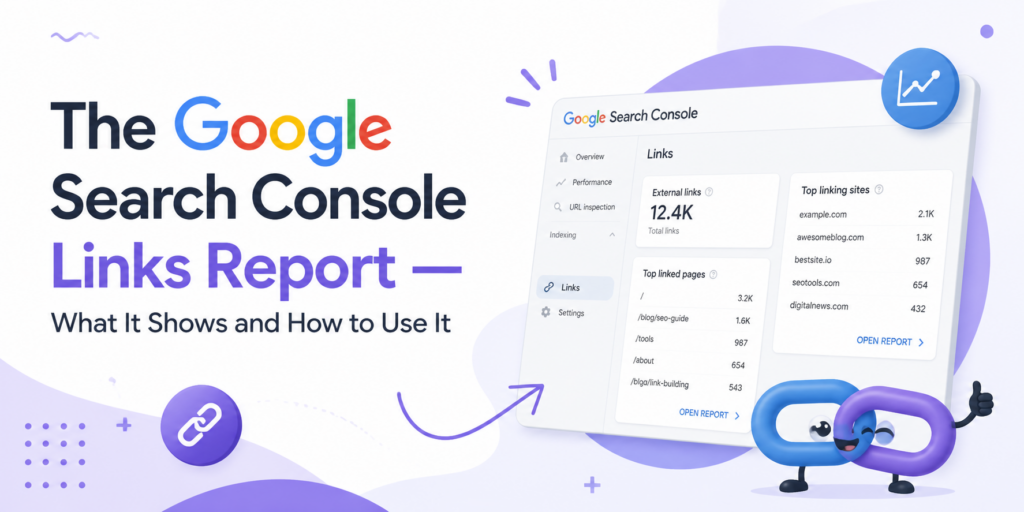
The Links Report — What It Shows and How to Use It
The Links report gives you two distinct datasets: external links pointing to your site from other domains, and internal links connecting your own pages to each other. Both are useful for different reasons, and both are frequently underanalyzed even by teams that check Search Console regularly.
External links data shows your top linked pages, your top linking sites, and the anchor text most commonly used when other sites link to you. The top linked pages section reveals which content has attracted the most editorial attention from the web — which is a meaningful signal about what topics you’ve established genuine authority in, and often a useful guide for where to invest in future content development. The top linking sites section shows which domains are referring to you most frequently; reviewing this list occasionally helps identify link acquisition patterns and spot any unusual or potentially harmful linking that might otherwise go unnoticed.
Internal links data is less commonly discussed but genuinely strategic. The report shows which pages on your own site receive the most internal links from other pages. This internal link distribution is a direct representation of the authority architecture you’ve built — whether intentionally or by default. Pages with many internal links receive more authority signals through your site’s link equity. Pages with few or no internal links are often underperforming in rankings partly because they’re isolated within your site’s structure. Comparing your internal links report with your Performance data often reveals clear opportunities: pages that rank for valuable queries but receive minimal internal linking are almost always candidates for a targeted internal linking push that can improve their ranking positions without any other changes.
Understanding the mechanics of why external links matter for authority and ranking is covered in the complete guide on what link building involves — which provides the conceptual foundation for interpreting your external links data meaningfully rather than just counting numbers.
Manual Actions and Security Issues — The Reports You Hope to Never See
The Manual Actions report shows whether Google has applied a manual penalty to your site — a decision made by a human reviewer at Google in response to a violation of their quality guidelines. Manual actions are distinct from algorithmic ranking adjustments: they’re explicit enforcement actions that can result in dramatically reduced visibility or complete removal from search results for affected pages or the entire domain.
Common reasons for manual actions include unnatural link patterns (either building manipulative links or having a toxic link profile from past activity), thin or duplicate content at scale, cloaking (showing different content to Googlebot than to users), structured data violations, and user-generated spam on comment sections or forums. If you have a manual action, the report describes what was found and which pages are affected. After addressing the underlying issue, you can submit a reconsideration request through the report interface — though Google’s review process takes time and doesn’t always result in immediate reinstatement.
The Security Issues report covers a separate category of problem: malware, hacking, and other security compromises that affect your site’s integrity. Google actively scans the web for security issues and flags sites in Search Console when problems are detected — things like malicious code injection, phishing pages, or unwanted software being distributed through your site. These issues affect both ranking visibility and the display of warning messages in search results and browsers, which can devastate click-through rates even for pages that are still technically indexed. Checking this report regularly is a basic security hygiene practice, not an edge case.
Enhancements and Rich Results — Structured Data Monitoring
The Enhancements section of Search Console tracks how structured data — the machine-readable markup you add to your pages to communicate specific information to search engines — is performing. This includes rich result types like FAQ markup, How-To markup, product schema, review schema, recipe markup, breadcrumbs, and sitelinks search boxes, among others.
👉🏻 Each enhancement type has its own report showing valid items, items with warnings, and items with errors. Valid items are eligible to generate rich results in search — the enhanced search listings that show additional visual elements like star ratings, price information, or expandable FAQ sections directly in the results page. Items with errors have markup problems that prevent rich result eligibility. Items with warnings are partially valid but have issues worth resolving.
The practical value of monitoring these reports is twofold. First, it identifies structured data errors that are silently costing you rich result eligibility — enhanced listings that compete significantly better for click-through than standard blue-link results. Second, it provides early detection of implementation errors introduced by site updates that might affect markup across many pages simultaneously. A CMS update that breaks your product schema across a thousand product pages will show up as a sudden spike in Enhancement errors before it has a chance to affect rankings — giving you a window to fix the problem before it compounds.
Advanced Tactics Most Site Owners Miss Completely
Beyond the core reports, there are several ways to use Search Console data that require a bit more analytical thinking but produce disproportionate returns. These are the approaches that separate teams actively driving organic growth from those passively monitoring it.
The position bracket analysis involves filtering your Performance data to show only queries where your average position is between 8 and 20 — the second page of results and the bottom of the first page. These pages are close to the visibility threshold where most organic clicks happen but not quite there. Identifying them and concentrating improvement effort — better content depth, stronger internal linking, targeted link acquisition — on the specific pages in this position range produces faster ranking gains than trying to improve pages that are either very well-established or starting from very low positions.
- ● Filter queries by position 8–20 to find your highest-leverage ranking opportunities
- ● Compare date ranges after site changes to measure their actual search impact
- ● Use the Queries filter on specific page URLs to find all search terms a single page ranks for
- ● Export data to Google Sheets for trend analysis beyond the 16-month in-platform limit
- ● Cross-reference high-impression, low-CTR queries with your meta descriptions for immediate optimization targets
The single-page query analysis is particularly powerful for content optimization. By filtering the Performance report to show only data from a specific URL, you can see every query that URL is generating impressions for — including queries you never explicitly targeted. This often reveals semantic keyword clusters that a page has organically developed relevance for, which can inform content updates that consolidate and deepen that relevance rather than creating entirely new content around those topics.
Historical data export is an administrative tactic worth building into your workflow. Search Console’s in-platform data retention covers approximately sixteen months. For any business tracking seasonal patterns or multi-year growth trajectories, that window is insufficient. Exporting your Performance data to a Google Sheet monthly — a five-minute task — builds a continuously growing historical record that makes year-over-year and multi-year trend analysis possible regardless of the platform’s retention limit.
💡 The Cannibalization Check:
Keyword cannibalization — multiple pages on the same site competing for the same query — is a common problem that Search Console data reveals clearly. Filter the Queries report for a specific target keyword and then switch to the Pages tab. If multiple URLs appear for the same query, your site is splitting authority between them rather than concentrating it. The fix is consolidation: merging content, setting canonical tags, or updating internal linking to direct authority to the preferred page. This single fix can produce immediate position improvements for queries where you’re cannibalizing yourself.
Building a Monthly Search Console Workflow That Actually Gets Done
The most sophisticated understanding of Search Console data produces no value if nobody looks at it consistently. The reason most businesses underuse this tool isn’t ignorance of what it contains — it’s the absence of a regular routine for reviewing it. Building a lightweight monthly workflow solves this problem by converting what could be an open-ended analysis task into a defined checklist that takes roughly thirty to sixty minutes.
The table below defines the full priority sequence for a monthly Search Console review — what to check, what to look for, and what action each item typically requires. Structured this way, the review becomes predictable and completable rather than something that gets indefinitely deferred.
| Priority | Report / Section | What to Check and Why |
|---|---|---|
| 1 | Manual Actions | Confirm no penalties — any finding here is urgent and overrides all other priorities |
| 2 | Security Issues | Check for hacking or malware detection — immediate action required if flagged |
| 3 | Pages — Not Indexed | Review new exclusions — identify any important pages unexpectedly excluded |
| 4 | Core Web Vitals | Track Poor URLs count — note any increases for technical investigation |
| 5 | Performance — Queries | Compare to previous month — identify winning and declining queries |
| 6 | Performance — Pages | Identify top performers to protect and declining pages to investigate |
| 7 | Position 8–20 filter | Find near-ranking pages for targeted improvement investment |
| 8 | High impressions, low CTR | Identify title and meta description optimization opportunities |
| 9 | Enhancements reports | Check for new structured data errors introduced by recent site changes |
| 10 | Sitemaps | Verify sitemap is processing without errors and URL count looks correct |
| 11 | Internal Links | Review distribution — identify underlinked pages that should rank better |
| 12 | External Links — Top Sites | Review for any unusual new linking patterns or unexpected link sources |
| 13 | Mobile Usability | Check for new mobile errors affecting user experience on handheld devices |
| 14 | Performance — Device split | Compare mobile vs desktop performance — major gaps indicate UX problems |
| 15 | Data export to Sheets | Export monthly snapshot for historical record — preserves data beyond platform retention limit |
Building this workflow into a recurring calendar reminder — the same time each month, with the same sequence — removes the decision overhead that causes it to get skipped. The thirty to sixty minutes this review takes each month is among the highest-return time investments available for any business managing organic search independently. The data it generates informs content decisions, technical priorities, and the conversations you have with any outside help you’re working with.
For businesses thinking about the broader strategic picture — how Search Console insights connect to the full system of getting more customers through organic search — the guide on how to get more online customers covers the conversion and acquisition strategy that gives Search Console data its commercial context.
How World SEO Agency Uses Search Console Data for Clients

How World SEO Agency Uses Search Console Data for Clients
Everything in this guide represents the kind of analysis that genuinely moves organic search performance — but knowing what to do and executing it consistently across a competitive market are different challenges. World SEO Agency builds Search Console monitoring into every client engagement as a core operational practice, not an occasional diagnostic.
The monthly workflow described above is not a suggestion for clients — it’s a minimum standard. The data feeds directly into content strategy decisions, technical prioritization, link acquisition targeting, and performance reporting. Clients always have independent access to their own Search Console property. Reports are built on verified data, not filtered dashboards. And the patterns identified in Search Console are connected to commercial outcomes — traffic that converts, not just traffic that shows up in charts.
1) Financial Guarantees
Performance commitments at World SEO Agency are backed by financial accountability written into the contract. If defined milestones aren’t reached on the agreed timeline, there are real contractual consequences for the agency. This isn’t common in the industry — most agencies collect retainers unconditionally regardless of results. Exploring what guaranteed SEO services actually mean in practice explains why financial accountability matters and what it looks like when an agency genuinely puts its own money behind its methodology.
2) Transparent Pricing
Every element of the service scope is visible, itemized, and defined before the engagement begins. There is no vague reference to “ongoing optimization” — there is a specific list of what gets done each month and what outcomes it’s working toward. Clients know exactly what they’re paying, what they’re receiving, and what milestones the campaign is designed to hit. That transparency extends to reporting: the data clients see comes directly from their own Search Console and analytics access, not from a proprietary dashboard that the agency controls.
3) No Hidden Fees
The all-inclusive structure means that when additional work becomes necessary — a technical fix that requires development effort, a content update triggered by a new search trend, structured data remediation following a platform change — it’s absorbed within the agreed scope or proposed transparently with a clear rationale. There are no retroactive charges, no “that’s outside our scope” conversations about work that was always going to be required, and no surprise invoices that appear months into an engagement.
4) All-Inclusive System
Technical SEO, content development, link acquisition, Search Console monitoring, reporting infrastructure, and ongoing strategy — everything required to run a complete, professional organic search campaign is included. This isn’t a base package with add-ons priced separately. It’s a complete system designed to produce defined commercial outcomes for the businesses it works with.
5) Working Across the US and Worldwide
World SEO Agency runs campaigns for businesses across multiple US markets and internationally — from local service businesses competing for neighborhood-level search terms to multi-location brands targeting national and global audiences. The methodology scales across markets and languages, and the accountability model applies regardless of geography. Whether you’re competing for local map pack visibility or national commercial rankings, the structural commitment to transparent, results-oriented work is the same. For businesses considering optimizing their local search presence alongside broader organic strategy, the two disciplines are managed as an integrated system rather than treated as separate services.
Want to order services? Get a consultation from an SEO expert. Send a request.
Frequently Asked Questions — Direct Answers
❓ Search Console shows my site has thousands of impressions but almost no clicks. Is something broken?
Not necessarily broken — but definitely telling you something worth acting on. High impressions with low clicks means your pages are appearing in search results but not compelling people to visit. The most common causes are titles and meta descriptions that don’t match the search intent of the queries generating those impressions, or rankings that are technically on the first page but at the bottom of it where click-through rates drop dramatically. Check your average position for those high-impression queries — if you’re consistently ranking between positions 8 and 10, a modest ranking improvement could dramatically change the click volume.
❓ My site has been live for six months and I have almost no data in Search Console. What’s wrong?
Several possibilities, in roughly descending order of likelihood: your site isn’t indexed yet (check the Pages report for not-indexed status), your site is indexed but not ranking for any queries that generate impressions, or the property isn’t verified correctly and you’re looking at an incomplete data set. Start with URL Inspection on your homepage. If it returns “URL is not on Google,” you have an indexing problem that needs immediate attention — check for accidental noindex tags, robots.txt blocking, or canonical tags pointing to a different domain.
If the homepage is indexed but you have very few indexed pages despite publishing content regularly, the issue is likely a combination of thin content quality and weak internal linking structure. Google is finding the pages but choosing not to include them. The fix requires content quality improvement and a stronger internal linking architecture to distribute authority to newly published pages.
❓ Can I use Search Console to spy on what my competitors are ranking for?
No — Search Console shows only data for properties you own and have verified. It has no visibility into competitor search performance. For competitive query research, you need third-party tools like Ahrefs, Semrush, or Moz, which estimate competitor rankings and traffic from their own crawl databases. Search Console is authoritative for your own data; third-party tools are necessary for competitive intelligence. Use both, but understand the distinction between verified first-party data and estimated third-party data when making decisions.
❓ My average position went from 12 to 8 last month. Does that mean my traffic should have doubled?
Not quite — the relationship between position and click-through rate is not linear, and the actual traffic impact depends on the click-through rate at each position for those specific queries. Moving from position 12 to position 8 is meaningful progress but still below the top-five positions where the majority of organic clicks occur. The Traffic increase from that move might be modest — enough to confirm the direction is right but not transformative by itself. The significant traffic impact comes when rankings break into positions three to five, where CTR curves show steep improvement. Position 8 to position 3 on a commercially valuable query can represent a ten-fold increase in organic visits.
❓ How often should I actually be checking Search Console?
For most businesses, a structured monthly review is sufficient for strategic purposes — and more sustainable than daily checking that produces anxiety without actionable insight. There are two exceptions: immediately after making significant changes to your site (new content, technical updates, redesigns), where weekly checks for the first month help confirm the changes are being processed correctly; and during known algorithm update periods, where daily monitoring helps identify early whether your rankings are affected. Otherwise, monthly reviews conducted systematically produce better decisions than daily glances at top-line metrics.
❓ Search Console shows I have 500 indexed pages but my site only has about 80 real pages. Is this normal?
This is a common and usually fixable problem. The extra indexed URLs typically come from several sources: URL parameters (pagination, filter selections, sorting options) generating unique URLs that Google treats as distinct pages, print-friendly versions of pages, tag and category archive pages on blog-style sites, or duplicate content accessible through multiple URL paths. Each of these inflates your apparent page count with URLs that often add no search value. The fix involves canonical tags directing authority to the preferred URL versions, parameter handling configuration, and robots.txt or noindex directives for genuine duplicate pages. Reducing this index bloat typically improves the quality signals for the pages that actually matter.
❓ A competitor’s rankings improved dramatically last month while mine stayed flat. Can Search Console explain why?
Search Console won’t show you competitor data directly, but it can show you whether your own rankings changed in the same period — which helps you determine whether the competitor gained at your expense or gained against someone else entirely. Check the Performance report with a date comparison covering that period. If your positions held steady while the competitor improved, they likely gained from other sites rather than from yours. If your positions dropped in the same timeframe, the competitive dynamics are more direct. In either case, the appropriate response is improving your own content depth, internal linking, and authority signals on the affected pages — not reactive changes based on guessing at what your competitor did.
❓ I requested indexing for a page three weeks ago and it’s still not indexed. Did it fail?
Indexing request processing time varies significantly. Three weeks is within the normal range for many sites, particularly those with lower crawl priority or less established authority. Check the URL Inspection tool to see the current status — it will show whether the URL is indexed, excluded, or still awaiting processing. If the tool shows “URL is not on Google” and your request hasn’t been processed after four to six weeks, investigate whether the page has content quality issues that might cause Google to crawl it but decline to index it. New pages on new domains, or thin pages on established domains, often wait longer than substantive pages on authoritative sites.
❓ My Core Web Vitals report shows everything as “Good” but my site still feels slow to me. Who’s right?
The Core Web Vitals report reflects field data — real user experience measurements aggregated across actual visitors over a 28-day window. Your subjective experience of the site depends on your device, your internet connection, your browser, and your geographic distance from the server. It’s entirely possible for a site to have Good CWV scores based on aggregated real-user data while still feeling slow to a particular user on a particular connection. Conversely, a site can feel fast in a controlled test environment but have Poor CWV scores because real users on slower connections are having a different experience. Trust the field data for search purposes; investigate the subjective experience separately using performance profiling tools that can identify specific rendering bottlenecks.
❓ I gave my company access to Search Console but they never mention it in our calls. Should I be concerned?
Yes — that’s a signal worth taking seriously. Search Console is the primary diagnostic tool for any professional organic search campaign. An agency that isn’t actively monitoring it and incorporating its findings into your monthly conversations is either not using it (a significant methodology gap) or not considering the data relevant enough to discuss with you (a transparency gap). Either interpretation is problematic. Ask your agency directly: which specific Search Console reports do you review each month for our property, and what did those reports show last month? The quality of the answer will tell you a great deal about the quality of the work being done.